


Knowledge Base
Adding your Slack Workspace to TLM Notification Center
Stay up to date with your certificate activity by connecting your Slack Workspace DigiCert ONE’s Notification Center. Once connected, you’ll receive notifications in your chosen Slack channels — making it easy to monitor certificate issuance, renewals, and expiration events in real-time.
Prerequisites
- Access to DigiCert ONE
- Access to Trust Lifecycle Manager (TLM)
How to Add DigiCert App to Slack
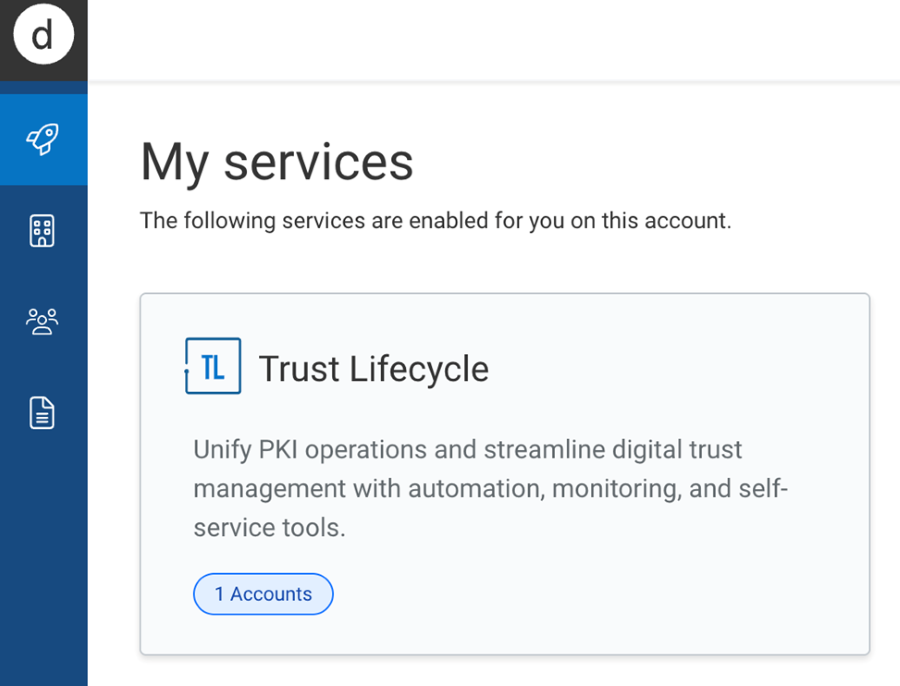
- Log in to DigiCert ONE
Sign in to your DigiCert ONE account and navigate to the appropriate service, such as Trust Lifecycle Manager (TLM).
- Navigate to Notification Destinations
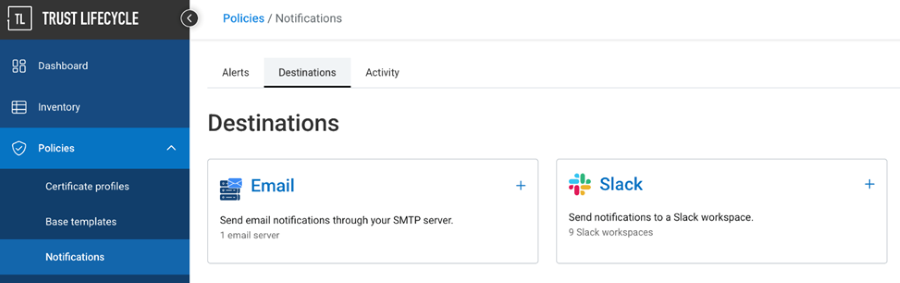
Within TLM:- Select Policies from the left-hand navigation.
- Click Notifications.
- Open the Destinations tab.
- Select Slack
- Under Destinations, locate Slack.
- Click Slack
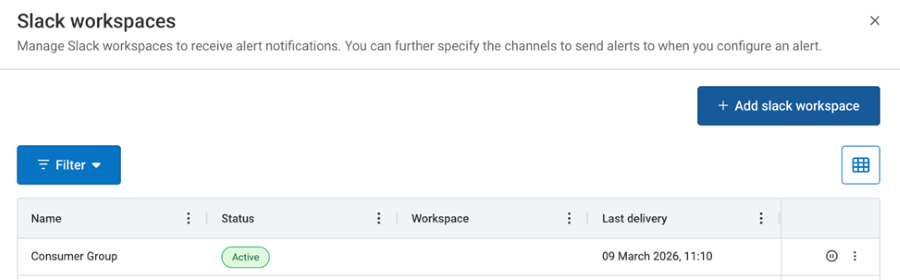
- Select Add Slack Workspace
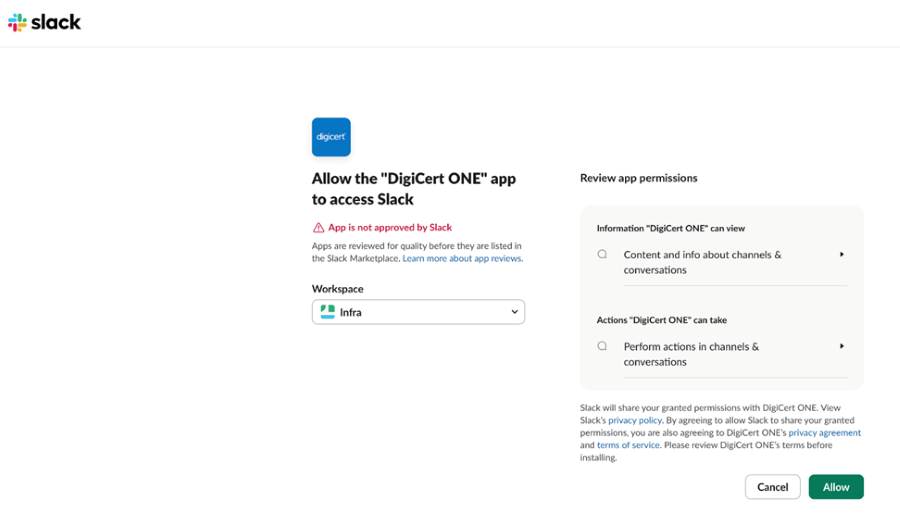
- Authorize Slack Access
You will be redirected to Slack’s authorization page.- Choose the Slack workspace where you want to install the DigiCert ONE app.
- Review the requested permissions.
- Click Allow to authorize access
- Confirm Workspace Connection
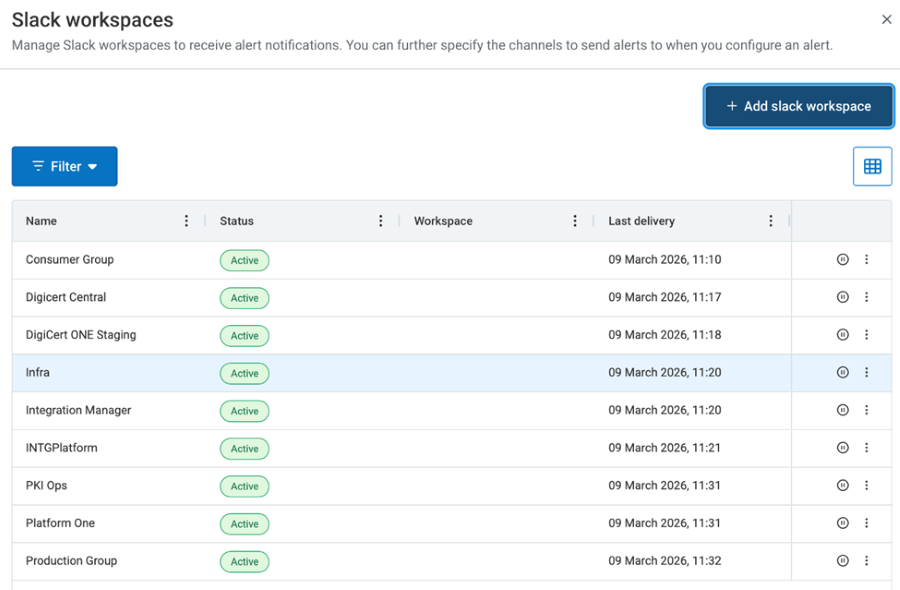
After approval, your Slack workspace will appear under:
Policies > Notifications > Destinations > Slack
Your workspace status will display as Active, confirming a successful connection.
Configure Slack Alert Rules
Once your workspace is connected, you can configure which certificate events trigger notifications.
To customize alerts:
- Go to Policies > Notifications > Alerts
- Create or edit a rule
- Select Slack as the notification destination
- Choose the Slack channel(s) where notifications should be delivered
You can filter alerts by:
- Certificate type
- Status (issued, renewed, expiring, etc.)
- Domain
- Other policy criteria
Troubleshooting
- Workspace not appearing after authorization?
- Confirm you clicked Allow during Slack authorization.
- Ensure you have the necessary Slack admin permissions.
- Notifications not being delivered?
- Verify the alert rule is enabled.
- Confirm the Slack channel is correctly selected in the rule configuration.
- Make sure the DigiCert app has access to the selected Slack channel.
Need Help?
If you experience issues connecting Slack or configuring notifications:
- Reach out to your account administrator
- Contact DigiCert Support
By integrating DigiCert ONE with Slack, your team can proactively manage certificate lifecycles without leaving your collaboration workspace.
You can check out DigiCert Privacy Policy here Our Approach To Privacy | DigiCert .
-

The most-trusted global provider of high-assurance TLS/SSL, PKI, IoT and signing solutions.
-



-
© 2022-2026, DigiCert, Inc. All rights reserved.
Cookie Settings
